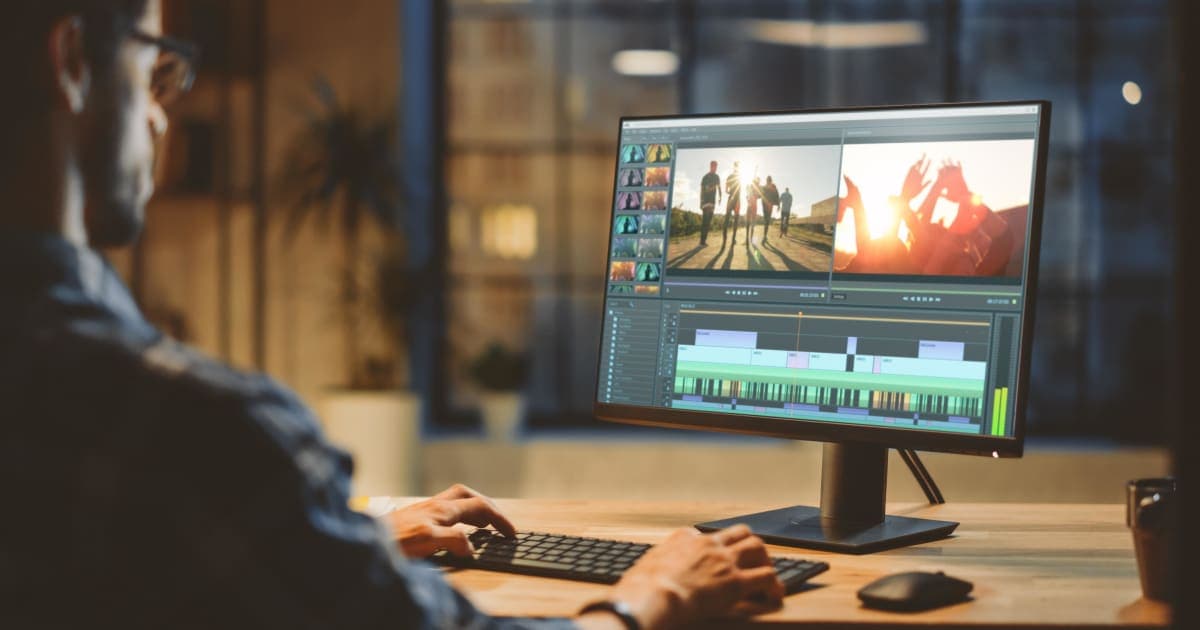
Video editing has become one of the most essential skills today, whether you're a YouTuber, filmmaker, digital marketer, student, or social media creator. The good news? You don’t always need expensive tools like Adobe Premiere Pro or Final Cut Pro. In 2026, several free video editing software options will offer professional-level features without costing a single dollar.
This in-depth guide explores the best free video editing software of 2026, their features, pros and cons, system requirements, and which one is the best fit for your editing style. Whether you're making YouTube videos, short-form content like TikToks or Reels, professional films, or gaming videos, this guide has the perfect recommendation for you.
What to Look for in a Free Video Editing Software
Choosing the best editor depends on your needs. Here are the core factors you should consider:
Ease of Use & Learning Curve
Some free editors are extremely simple (like OpenShot or CapCut), while others are professional-level and require learning (like DaVinci Resolve).
Beginners prefer drag-and-drop workflows
Advanced users prefer multi-track, advanced controls
Creators prefer templates + auto tools
Supported File Formats & Codecs
A good editor should support formats like:
MP4
MOV
AVI
MKV
ProRes
HEVC/H.265
4K & 1080p
DaVinci Resolve and Kdenlive offer the widest format support.
Timeline Editing Features
Any good free editor should include:
Multi-track editing
Ripple edits
Keyframes
Layer-based adjustments
Audio editing tools
Effects, Transitions & Templates
Effects and transitions help boost creativity. Some editors like CapCut provide pre-made templates, while others like Resolve offer advanced VFX tools.
Export Options (1080p, 4K)
Make sure your editor supports:
HD 1080p exports
4K exports
Custom aspect ratios
Social media aspect ratios (9:16, 1:1, 4:5)
System Requirements (Low-end vs High-end PCs)
Some editors, like DaVinci, require a powerful computer, while Shotcut and Kdenlive work great on low-end systems.
Best Free Video Editing Software in 2026 (Top 10 List)
Here are the top editors we will cover in detail:
DaVinci Resolve
Shotcut
OpenShot
Kdenlive
VSDC
CapCut Desktop
HitFilm Free
iMovie (Mac Only)
Lightworks Free
Clipchamp (Windows Built-in)
Now, let’s go deep into each one.
1. DaVinci Resolve: Best Overall Free Video Editor (Professional-Level)
DaVinci Resolve remains the most powerful free video editing software available in 2026. It is used by Hollywood studios and professional filmmakers.
Overview
DaVinci combines editing, colour grading, visual effects, and audio tools in a single program. Its free version is more powerful than many paid tools.
Key Features
Multi-track timeline editing
Hollywood-grade color grading
Fusion (VFX compositing)
Fairlight (audio editing)
Motion tracking
Stabilization
4K export support
AI tools (in the free version too)
Pros
Most advanced free editor
Great for cinematic content
No watermark
Professional tools without cost
Cross-platform (Win, Mac, Linux)
Cons
Requires a powerful PC
Beginners may need time to learn
Best For
YouTubers
Filmmakers
Cinematic editors
Colorists
Advanced creators
System Requirements
16GB+ RAM recommended
A good GPU needed
SSD preferred
Why It’s the Best
DaVinci Resolve remains unmatched in professional quality, even in its free version.
2. Shotcut: Best Free Open-Source Editor for Beginners
Shotcut is a lightweight, open-source editor that works well even on low-end PCs.
Overview
It’s simple yet powerful, perfect if you want advanced tools without heavy system requirements.
Key Features
Native editing (no import needed)
Many effects and transitions
4K support
Audio filters
Wide format support
Free & open-source
Pros
Lightweight
Easy to learn
Great for basic to intermediate editing
Cons
The interface looks outdated
Fewer advanced features
Best For
Beginners
Low-end PC users
Simple YouTube videos
3. OpenShot: The Easiest Free Video Editor
OpenShot is designed with beginners in mind.
Overview
A drag-and-drop video editor with a clean interface and unlimited layers.
Key Features
Basic editing tools
Titles, animations, transitions
Keyframe animation support
3D text templates
Pros
Easy UI
Perfect for basic edits
Unlimited layers
Cons
Slower rendering
Not good for large projects
Best For
School projects
Basic YouTube videos
New video editors
4. Kdenlive: Best for Intermediate Creators
Kdenlive is a feature-rich free editor that runs smoothly even on older machines.
Overview
Open-source, stable, and powerful enough for serious editing.
Key Features
Multi-track editing
Effects & transitions
Proxy editing
4K support
Custom layouts
Pros
Lightweight
Great for multi-track editing
No watermark
Cons
Not ideal for advanced VFX
The interface takes time to understand
Best For
Daily editing
Intermediate creators
Students
5. VSDC Free Video Editor: Best Windows-Only Editor
VSDC is a powerful non-linear video editor with lots of advanced tools.
Overview
Ideal for Windows users who need effects-heavy editing tools.
Key Features
3D & 360-degree video editing
Visual effects
Motion tracking
Masking
Slow-motion & transitions
Pros
Very feature-rich
Good for social media videos
Lightweight
Cons
Windows only
The interface feels complex
Best For
Windows users
Social media content
Visual effects lovers
6. CapCut Desktop: Best Free Editor for Social Media Creators
CapCut continues to dominate the short-form editing industry.
Overview
Perfect for TikTok, Reels, YouTube Shorts, and quick content.
Key Features
Auto-captions
Templates
Filters & effects
AI face effects
Instant transitions
Pros
Fast and easy
Best for short videos
Cloud sync with mobile version
Cons
Not suitable for long videos
Limited advanced tools
Best For
TikTok creators
Reels editors
Viral content creators
7. HitFilm Free: Best for YouTubers & Gamers
HitFilm offers great editing and VFX for free.
Overview
It’s designed for YouTubers, gamers, tutorial creators, and VFX beginners.
Key Features
Compositing
VFX tools
YouTube templates
Audio tools
Pros
Great for VFX
Good templates
Easy YouTube exporting
Cons
Requires good system
Some features paid
Best For
Gaming channels
Tutorial creators
VFX beginners
8. iMovie (Mac Only): Best for Apple Users
iMovie remains a top free editor for Mac, iPhone, and iPad.
Overview
Super clean, stable, and optimized for Apple.
Key Features
Magic Movie templates
Titles & transitions
Color correction
4K support
Pros
Smooth performance
Easy to use
Great for Apple ecosystem
Cons
Mac only
Not advanced enough for pros
Best For
Mac users
Family videos
Simple YouTube content
9. Lightworks Free: Free Version of a Professional Editing Tool
Lightworks is a known professional editor with a free version.
Features
Multi-track editing
Hollywood workflow
Fast rendering
Cloud collaboration
Best For
Intermediate editors
Documentaries
Short films
10. Clipchamp: Best Built-In Windows Free Editor
Windows 11 comes with Clipchamp pre-installed.
Features
Easy timeline
Auto-captions
Templates
Branding tools
Best For
Quick edits
Business videos
Simple YouTube content
Comparison Table: Best Free Video Editors (2026)
Software Best For Difficulty Watermark OS DaVinci Resolve Professional editing: Hard No (Win/Mac/Linux shortcut). Beginners: Easy No (all OpenShot basic edits). Easy No (all Kdenlive Multi-track editing Medium No (VSDC). Windows creators videos Easy No Win/Mac HitFilm YouTubers Medium No All iMovie Apple users Easy No Mac/iOS Lightworks Intermediate pros Medium No, all Clipchamp Quick edits easy; no win.
Best Free Editor Based on Your Need
Best for YouTubers
DaVinci Resolve
HitFilm
Kdenlive
Best for Reels, TikTok, Shorts
CapCut
Clipchamp
Best for Low-End PCs
Shotcut
Kdenlive
OpenShot
Best for Professional Films
DaVinci Resolve
Lightworks
Best for Beginners
OpenShot
Clipchamp
iMovie
People Also Ask (FAQ)
What is the best free video editor for beginners?
OpenShot, iMovie, Shotcut, and Clipchamp are ideal for beginners due to their simple interfaces.
Which free video editor has no watermark?
DaVinci Resolve, Shotcut, Kdenlive, VSDC, and CapCut all offer watermark-free exports.
Is DaVinci Resolve completely free?
Yes, DaVinci Resolve’s free version includes all major features like editing, color grading, audio, and basic VFX.
Which free editor is best for YouTube videos?
DaVinci Resolve, HitFilm, and Kdenlive are the top choices for YouTube creators.
What is the best free video editor for low-end PCs?
Shotcut, Kdenlive, and OpenShot work the best on low-end systems.
Conclusion
The best free video editing software depends on your needs. If you want the most powerful all-in-one editor, DaVinci Resolve is unbeatable. For beginners, OpenShot and Clipchamp are perfect. For social media creators, CapCut dominates the market. For low-end PC users, Shotcut and Kdenlive are excellent choices.
📌 Need any services? Contact EurosHub for expert Video Editing, Web Development, App Development, SEO, Digital Marketing, and complete Software Solutions.